Case study · A social project with the Kyrgyz MIA
Kamkor — support for domestic violence victims
Three seconds between danger and help. A social information system supporting victims of domestic and gender-based violence, built jointly with the Kyrgyz Ministry of Internal Affairs: case intake, agency coordination and aid tracking.
Keep scrolling — from the SOS button to the police duty panel
The help loop
One signal connects the person, the police and support services
Challenge
People facing domestic and gender-based violence needed a discreet, secure emergency channel, while responsible agencies needed a single system where cases are registered, dispatched and followed through to real help.
Solution
Together with the Kyrgyz Ministry of Internal Affairs we developed Kamkor: a panic button with location sharing, a stealth operation mode, case registration and coordination of responsible agencies, aid tracking for every case, a directory of crisis centres and legal aid, and data encryption.
About the project
Kamkor is a social information system built together with the Kyrgyz Ministry of Internal Affairs. A person in danger holds the SOS button for three seconds — and a signal with their location, profile and protection order data instantly reaches the duty panel. Responsible services see the full context: address, district, police unit, audio and case history — and follow the case through to confirmed help.
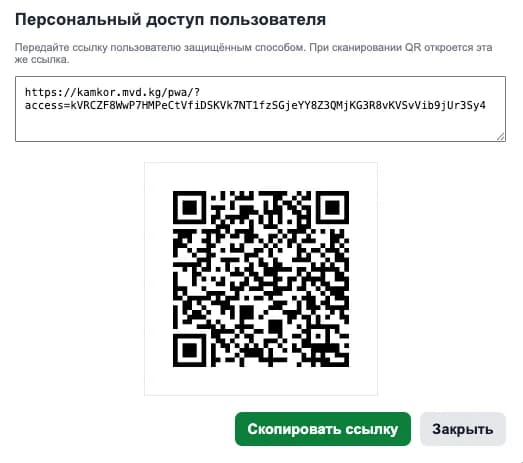
There is no public sign-up: access is issued by an administrator via a personal link or QR code, and sign-in requires a PIN
- Industry
- Social sector
- Status
- In production
- Client
- Ministry of Internal Affairs of Kyrgyzstan
- Platforms
- iOS · Android · PWA · Web
- Role
- End-to-end design & development
The signal's journey
From holding the button to confirmed help
The signal
Holding the SOS button for three seconds protects against accidental taps. When calling or speaking is unsafe, there is a silent channel — an SOS message.
The data
The signal carries coordinates, the user's profile, home address, district and police unit — the operator doesn't have to ask for anything.
The duty panel
The request appears in the police panel: the location opens in 2GIS, alongside audio, the protection order status and the case history.
Help and follow-up
Services respond, the request status is tracked to the outcome, and for protection orders the system counts the remaining days and warns before expiry.
Try it yourself
The three seconds that start the system
This is an interactive demo of the panic button, just like in the app. Hold it for three seconds: the progress ring fills up and the “request” gathers the same data the duty officer sees. No signals are sent anywhere.
- Release early and the call is cancelled — that's how accidental-tap protection works
- Once triggered, the request gets a timestamp, coordinates and the district police unit
- In the real app, police duty services take over from there
Hold the button for 3 seconds to call for help
Mobile app
Five screens — nothing extra in a moment of danger
01 · Home screen
A button you can find without looking
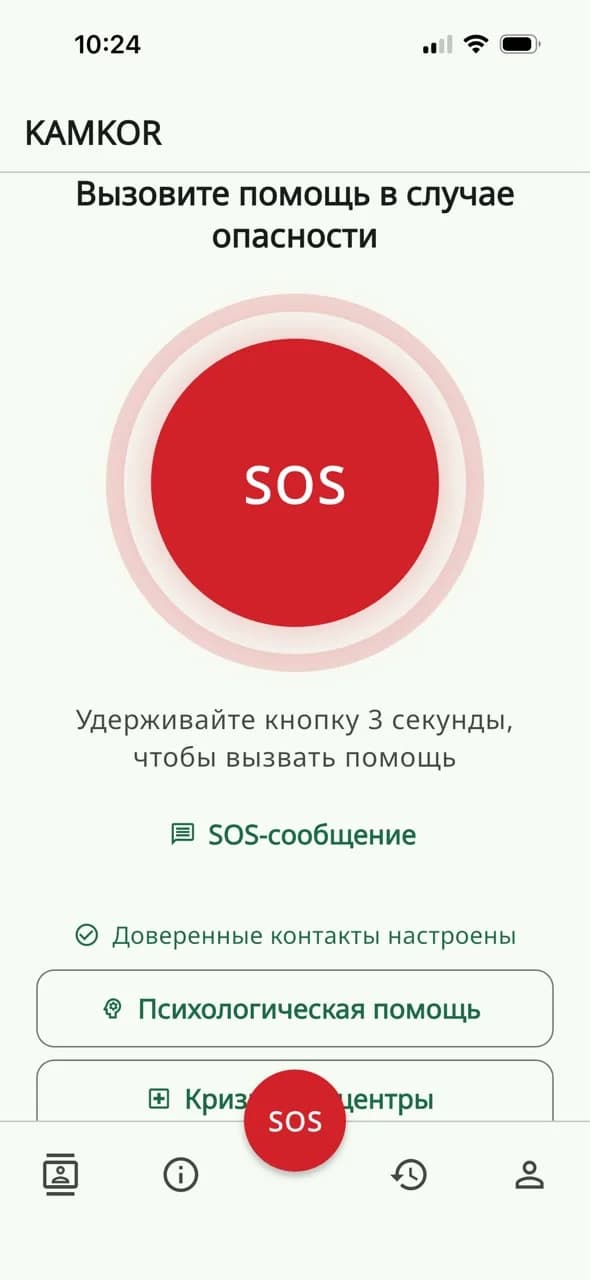
The entire home screen serves one task: calling for help. A large three-second hold button, the silent SOS message channel and the trusted contacts status. Below — quick access to psychological help and crisis centres.
- A 3-second hold protects against accidental taps
- An SOS message when speaking is unsafe
- Psychological help and crisis centres one tap away
02 · Case history
Every signal is saved, with a point on the map
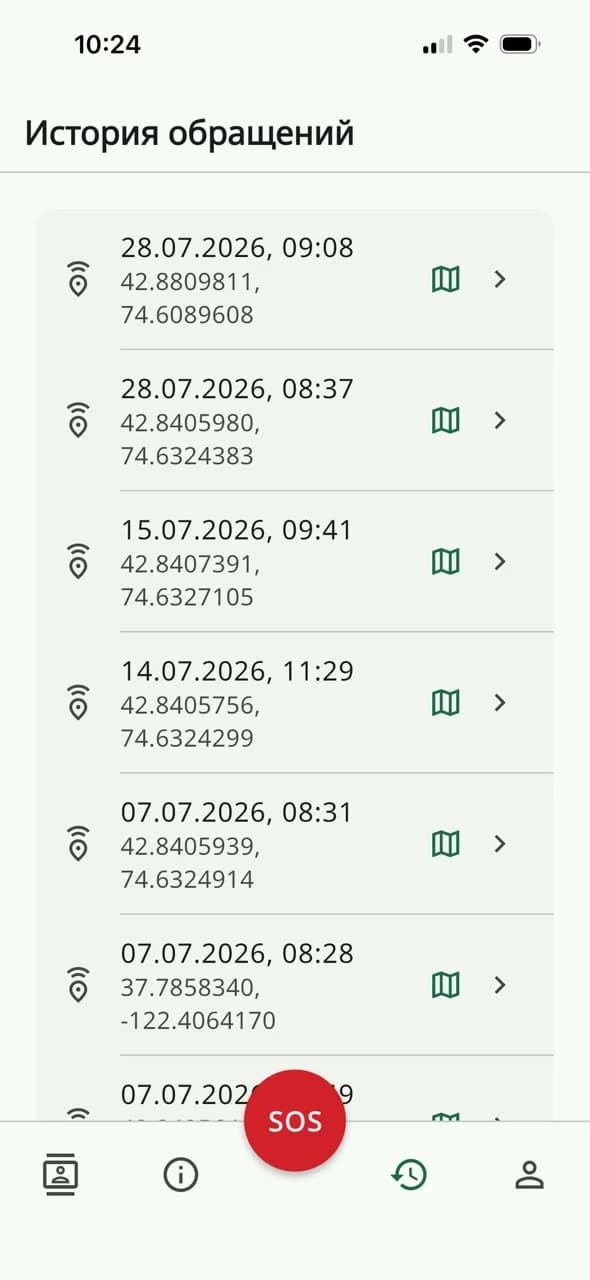
Date, time and exact coordinates of every call. Any point opens on the map, and the same history is visible to duty services — the full picture of a case emerges, repeat calls included.
- Exact coordinates of every call
- One tap opens the point on the map
- The history is visible to police duty services too
03 · Reference
What to do, where to go, who can help
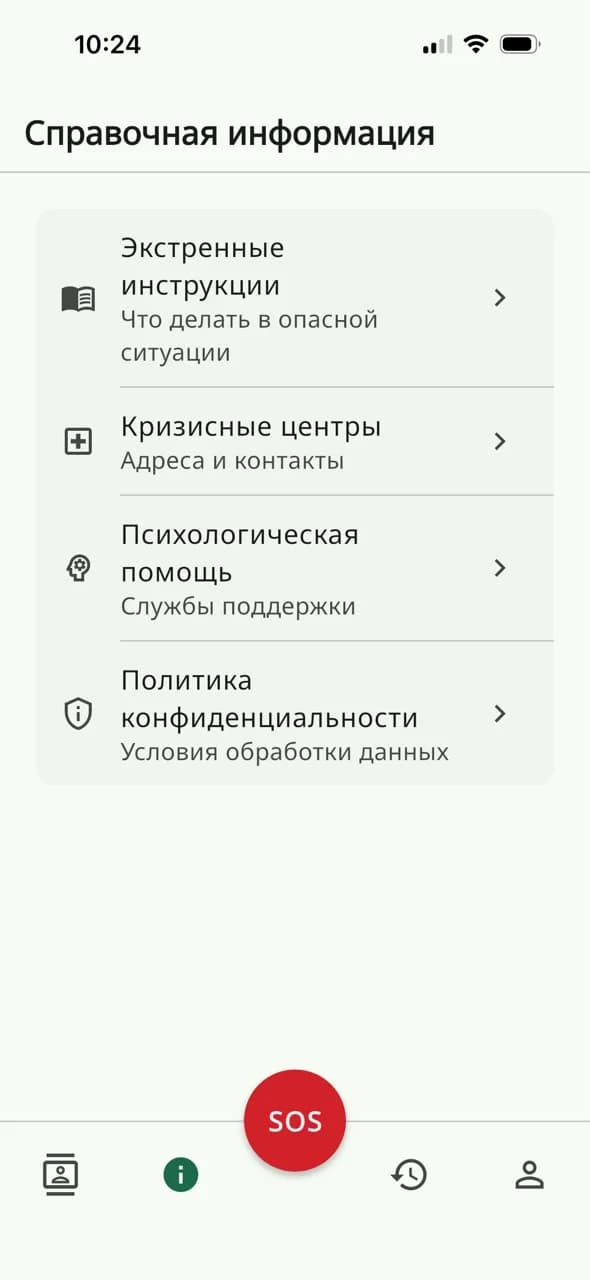
Emergency instructions for dangerous situations, addresses and contacts of crisis centres, psychological support services and data processing terms — all reference information lives in one section of simple, fast lists.
- Emergency instructions for dangerous situations
- Crisis centres: addresses and contacts
- Psychological support services
04 · Trusted contacts
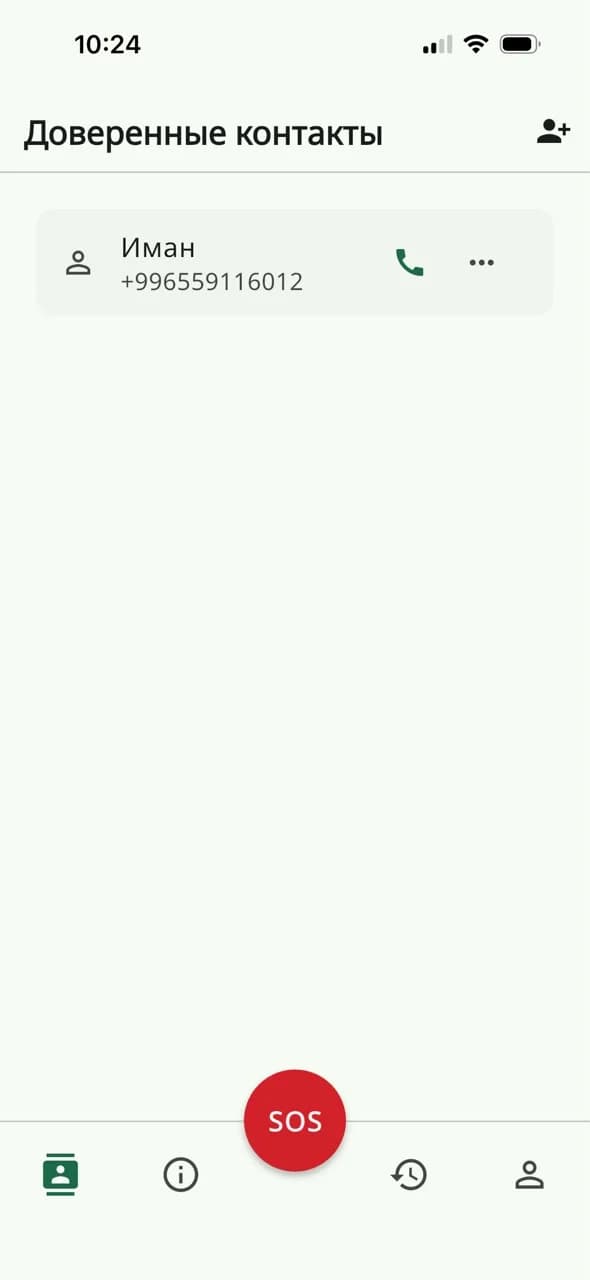
The people you trust, one tap away
Users add the people they trust in advance. In a moment of danger they can be called with one tap, and the home screen always shows that trusted contacts are set up.
- One-tap calls to a trusted person
- Adding and managing the contact list
- Setup status is visible right on the home screen
05 · Profile
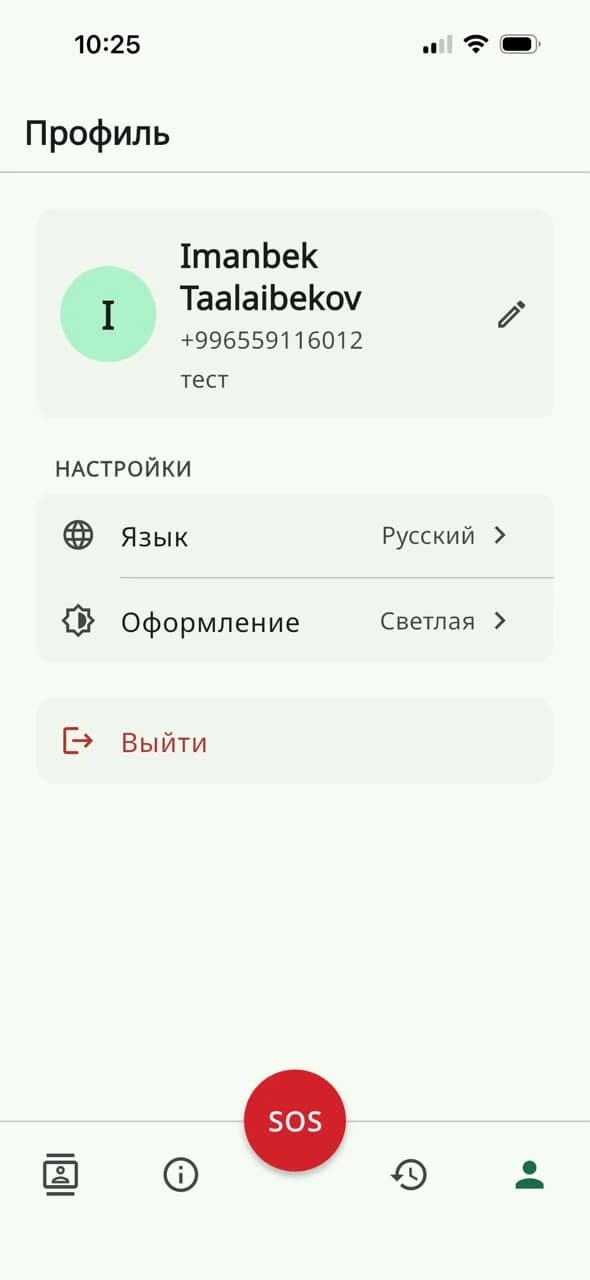
Minimal personal data, maximal control
The profile holds only the essentials: name, phone, interface language and theme. The app speaks Kyrgyz and Russian, supports light and dark themes and signs out with a single tap.
- Kyrgyz and Russian interface languages
- Light and dark themes
- No unnecessary personal data
The police panel
The duty panel: full context for response
01 · SOS requests
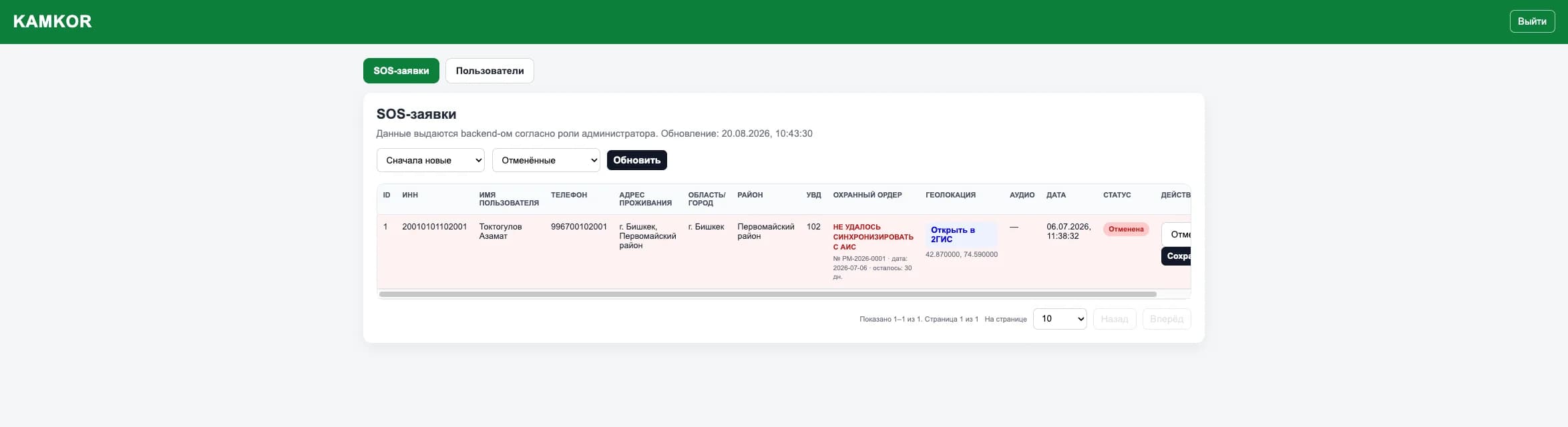
Requests arrive with the address, map and order attached
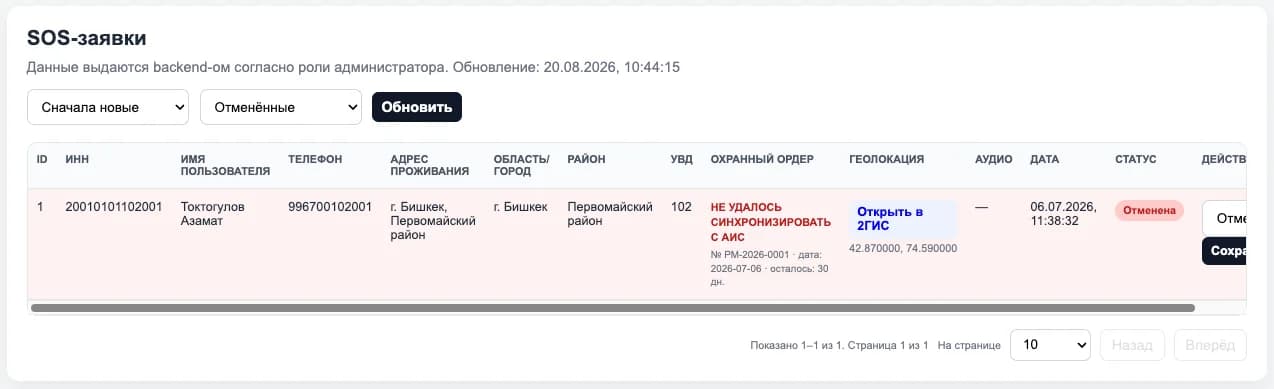
Every SOS request carries the TIN, name, phone, home address, region, district and police unit. The location opens in 2GIS with one click, alongside the audio recording, date and processing status. The backend serves data strictly by the administrator's role.
- The call location opens straight in 2GIS
- Protection order: number, date and days remaining
- Statuses, sorting and filters by request state
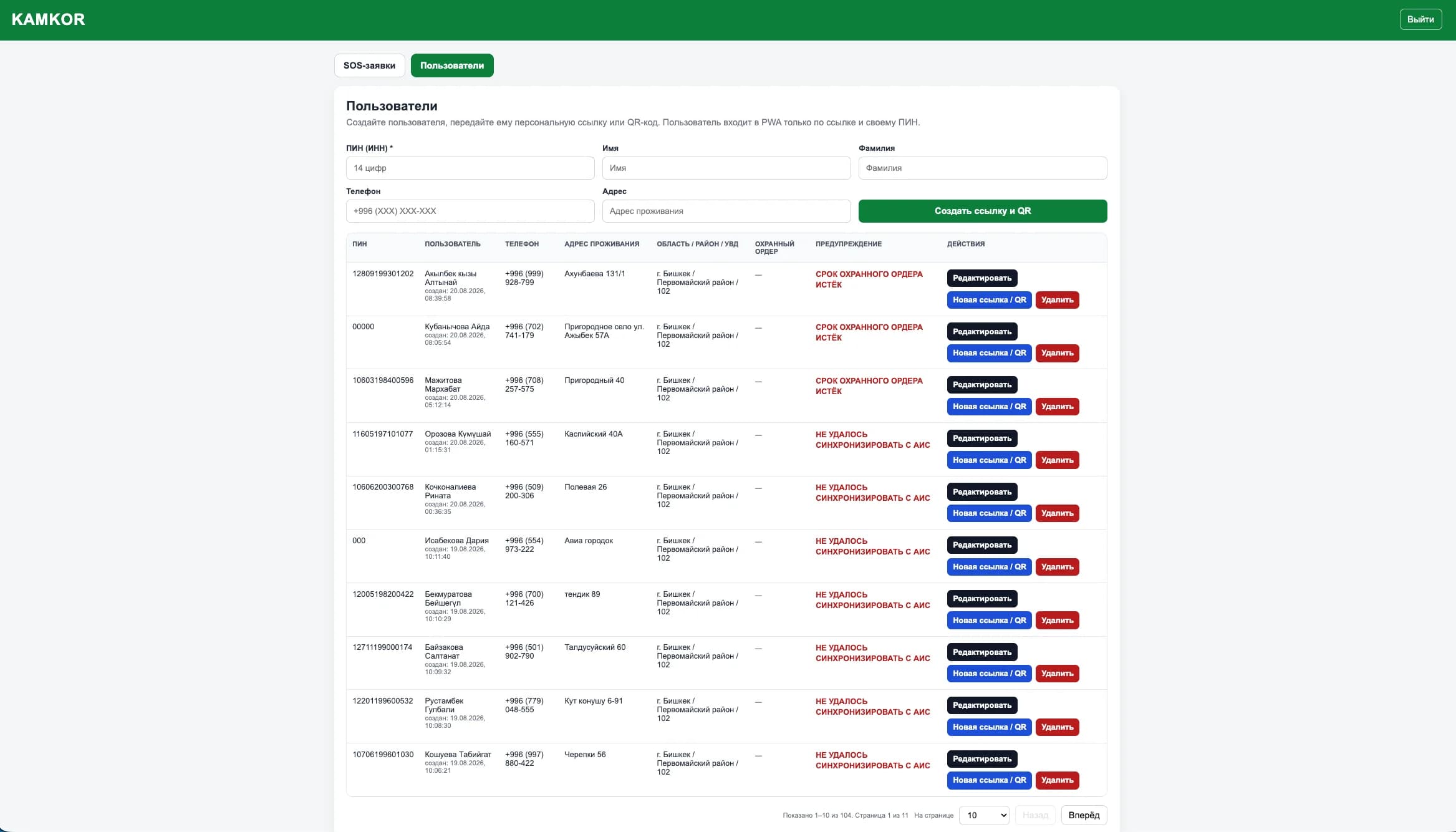
02 · Users
Access is issued personally, via a link and a PIN
An administrator creates a user by PIN (a 14-digit TIN), adds a phone and address — and hands over a personal link or QR code. The system binds the region, district and police unit, and flags warnings next to each user: an expired protection order or a failed AIS sync.
- A personal link and QR code for PWA access
- Binding to the region, district and police unit
- Warnings: order expired, AIS sync failed
Safety
A system where mistakes cost too much
No public sign-up
Accounts are created by an administrator; sign-in only via a personal link or QR and your own PIN.
Data encryption
Personal data and cases are encrypted and stored inside a protected perimeter.
Stealth mode
The app stays inconspicuous: an abuser must not learn it is on the phone.
Location only on SOS
Coordinates are captured at the moment of the call, not tracked continuously.
Role-based access
The backend serves data strictly by role: a duty officer sees only their own scope.
Sync with the police AIS
Protection orders are checked against the ministry's system, and sync failures are flagged.
The system in numbers
A pulse that never stops
Kamkor is always on duty: from the three-second button hold to tracking every protection order
3 sec
of holding the button — and the signal is in the duty panel
24/7
intake and processing of help signals
30 days
of a protection order's term under automatic control
102
duty units are bound to every user and request
Who the system serves
Four sides of a single case
People in danger
Get a discreet, secure emergency channel with the guarantee that the signal won't be lost.
Trusted contacts
The people close to you, callable with one tap without leaving the app.
The police and duty units
Handle requests in a single panel: map, audio, orders and statuses instead of scattered calls.
Crisis centres and psychologists
Their addresses, contacts and support services are built into the app, one step away.
Result
People in danger get help faster, while the police and support services handle cases in a single system — from registration to a confirmed outcome.
Next project
W-Connection — business process automation