Case study · EdTech
Kinolongo — language learning through films
A language that sounds like cinema, not a textbook. An educational platform: foreign languages through films and video — real speech, vocabulary, interactive exercises and listening practice.
Keep scrolling — the app and admin screens walk the whole path of a line
Real lines
Every line comes with original audio, a learning status and its scene
- Industry
- Education / EdTech
- Status
- In development
- Product
- App + admin panel
- Platforms
- iOS · Android · Web
- Role
- End-to-end design & development
Challenge
Textbooks and drill apps teach stock phrases but don't prepare you for real speech: actual film dialogue stays incomprehensible, and watching with subtitles without a method cements neither vocabulary nor listening skills.
Solution
We created Kinolongo — learning through content: watching films and video with interactive subtitles, scene-by-scene breakdowns of real vocabulary and expressions, a personal dictionary with spaced repetition, interactive exercises and listening practice with progress tracking.
About the project
Kinolongo is an educational platform that teaches a foreign language through films and video. A film is split into lines with original audio: the learner listens to real speech, rates every phrase as understood or not, builds a personal collection with To Learn → Known → Mastered statuses and watches the whole film in the built-in player. Content is prepared in the admin panel: film import, background audio generation per line and publication to the catalogue.
One film is a ready course: Shrek (2001) becomes 1,216 study lines with no manual editor work
How learning works
From a poster in the catalogue to a mastered line
Pick a film
The catalogue is grouped by genre, and every film is a course: the Shrek (2001) page shows 1,216 lines and three modes — practice, auto mode and full playback.
Listen and rate
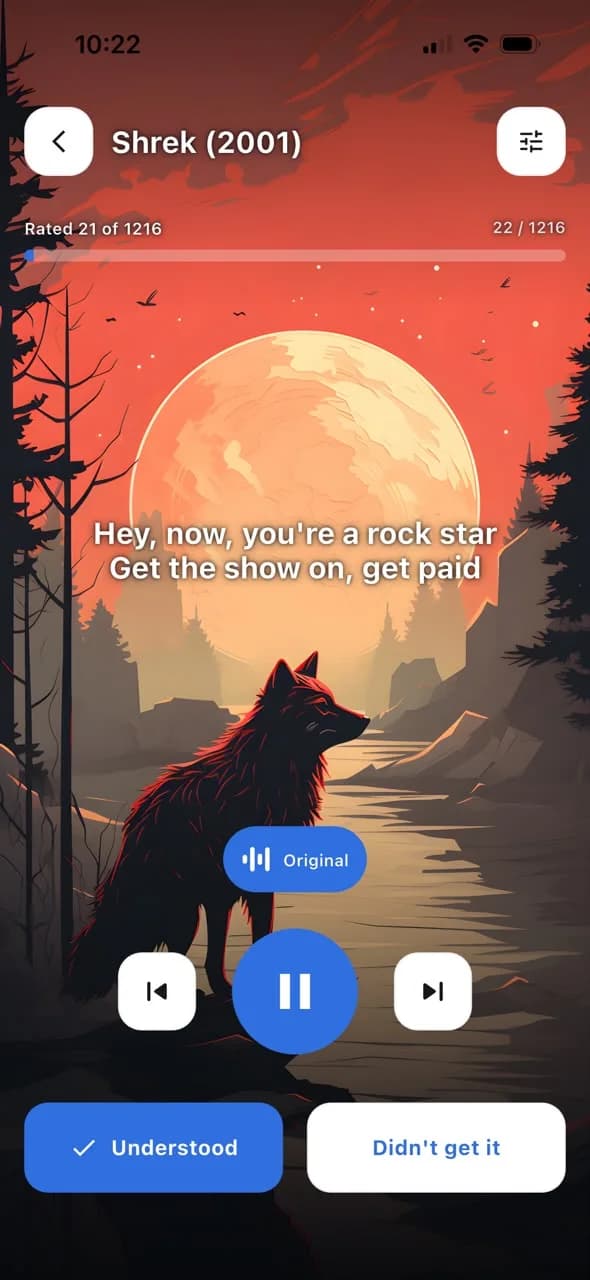
The practice player plays line after line: the original track, a large subtitle and two buttons — Understood or Didn't get it. A one-tap rating moves the phrase through the statuses.
Reinforce and watch
The collection keeps phrases by To Learn → Known → Mastered status and can play them as a list, while the whole film plays in the built-in player with ±10-second seeking.
Mobile app
Six screens — the whole path from “didn't get it” to Mastered
01 · Catalogue
Every film is a course
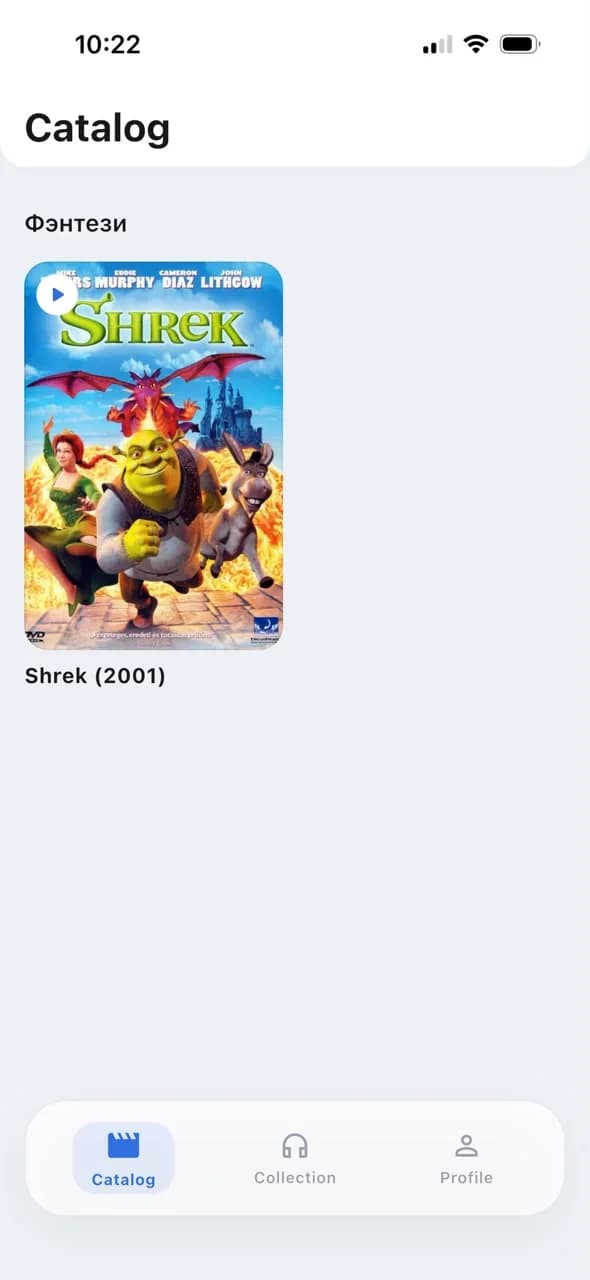
The catalogue is arranged by genre like a streaming storefront: posters, release year and a play button. Choosing a film means choosing your study material, not an abstract “lesson 12”.
- Genre shelves: fantasy, animation, comedy and more
- Poster, year and an instant jump into practice
- The library grows from the admin panel with no releases
02 · Film page
1,216 lines and three modes to pick
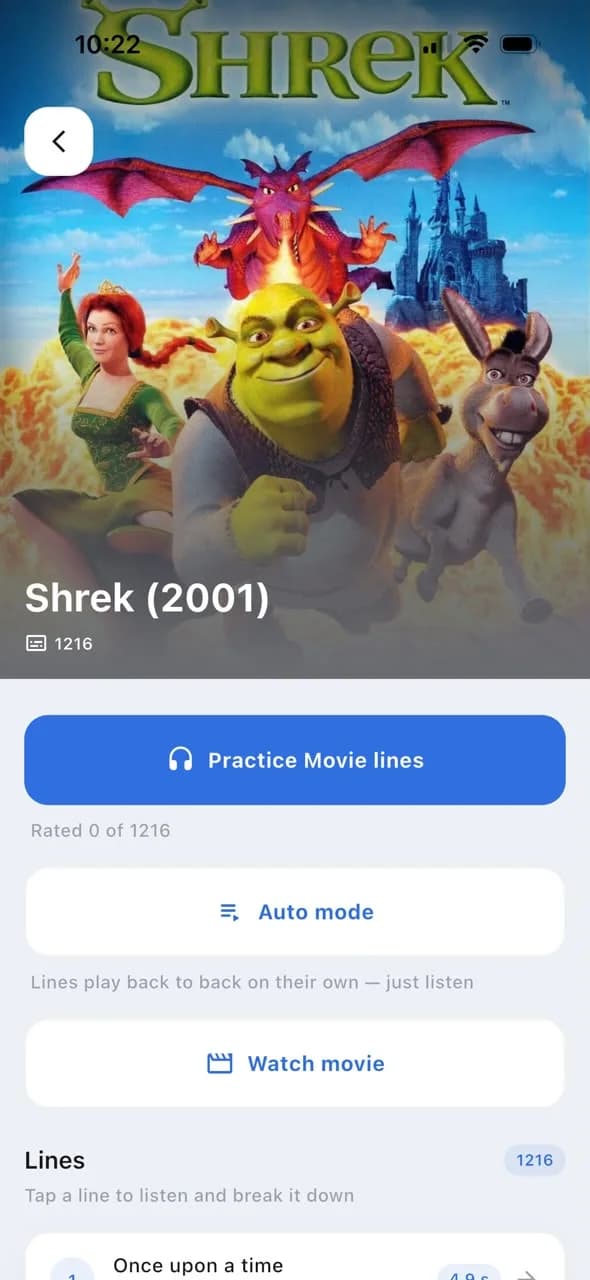
The page shows the scale of the course — Rated 0 of 1216 — and offers three scenarios: line practice with rating, a “just listen” auto mode and full film playback.
- Practice Movie lines — the main learning mode
- Auto mode: lines play back to back on their own
- The line list: any phrase is one tap away
03 · Practice
A line, its audio and an honest answer
The core of the product: an atmospheric backdrop, a large subtitle, the original track and two buttons — Understood or Didn't get it. The Rated 21 of 1216 progress shows right in the player.
- One-tap comprehension rating
- Track switching: original and study voice-over
- Swappable player backdrops picked in the profile
04 · Playback
The whole film in the same app
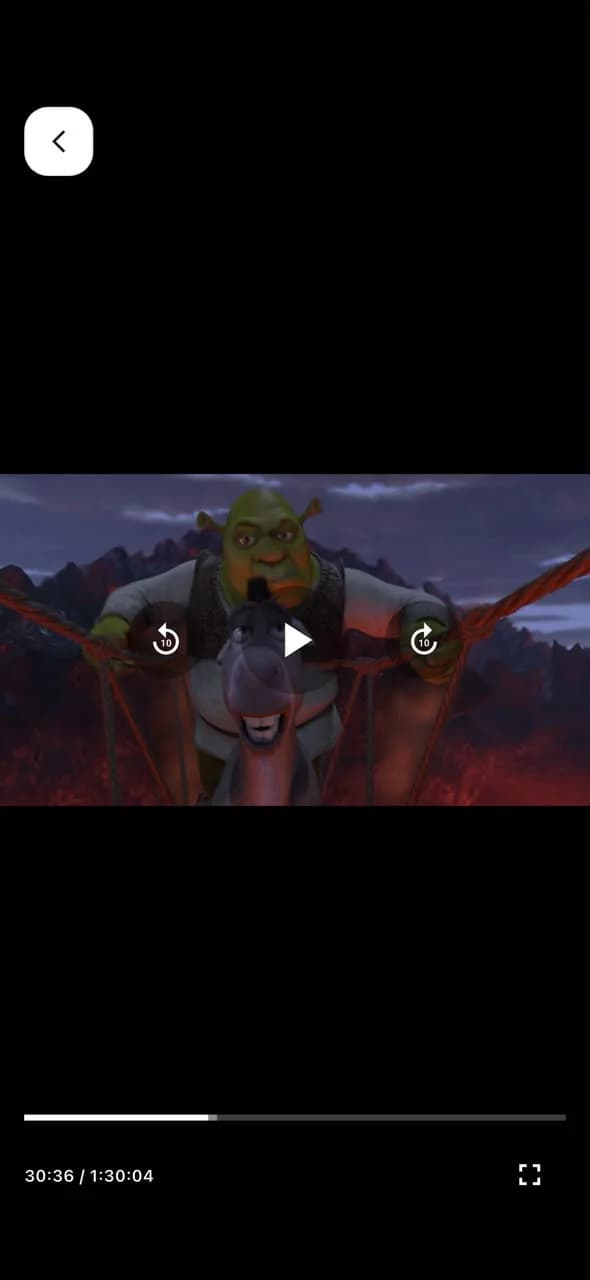
After practice the film plays like in a regular cinema: a full-screen player at 1:30:04, ±10-second seeking and resume where you left off. Lines drilled in practice are recognised by ear.
- ±10-second seeking to replay a tricky scene
- Full-screen mode and a timeline
- Playback resumes where it stopped
05 · Collection
To Learn → Known → Mastered
Every rated line lands in the collection: tabs by status, each phrase with its source film and audio. Listen through plays the list in order, and the status flips right from the card.
- To Learn · 5, Known · 6 and Mastered · 11 tabs
- Listen through: list repetition, in order
- Every phrase remembers its film and scene
06 · Profile
Progress, Premium and personal settings
The profile sums up the stats — films, lines, Mastered — and keeps the settings: interface language, player backdrop, listening options, password change and the Premium upgrade.
- Counters: 11 Lines, 10 Mastered, To Learn 5 · Known 6
- Get Premium unlocks the paid catalogue
- Interface language and listening settings
01 · Catalogue
Every film is a course
The catalogue is arranged by genre like a streaming storefront: posters, release year and a play button. Choosing a film means choosing your study material, not an abstract “lesson 12”.
- Genre shelves: fantasy, animation, comedy and more
- Poster, year and an instant jump into practice
- The library grows from the admin panel with no releases
02 · Film page
1,216 lines and three modes to pick
The page shows the scale of the course — Rated 0 of 1216 — and offers three scenarios: line practice with rating, a “just listen” auto mode and full film playback.
- Practice Movie lines — the main learning mode
- Auto mode: lines play back to back on their own
- The line list: any phrase is one tap away
03 · Practice
A line, its audio and an honest answer
The core of the product: an atmospheric backdrop, a large subtitle, the original track and two buttons — Understood or Didn't get it. The Rated 21 of 1216 progress shows right in the player.
- One-tap comprehension rating
- Track switching: original and study voice-over
- Swappable player backdrops picked in the profile
04 · Playback
The whole film in the same app
After practice the film plays like in a regular cinema: a full-screen player at 1:30:04, ±10-second seeking and resume where you left off. Lines drilled in practice are recognised by ear.
- ±10-second seeking to replay a tricky scene
- Full-screen mode and a timeline
- Playback resumes where it stopped
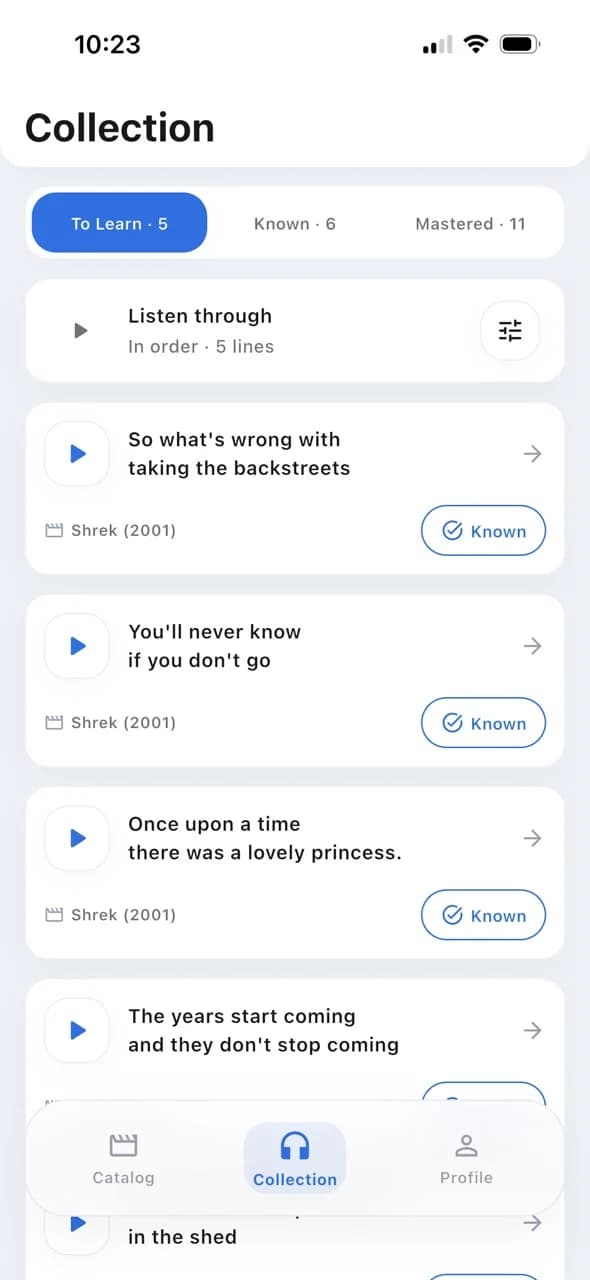
05 · Collection
To Learn → Known → Mastered
Every rated line lands in the collection: tabs by status, each phrase with its source film and audio. Listen through plays the list in order, and the status flips right from the card.
- To Learn · 5, Known · 6 and Mastered · 11 tabs
- Listen through: list repetition, in order
- Every phrase remembers its film and scene
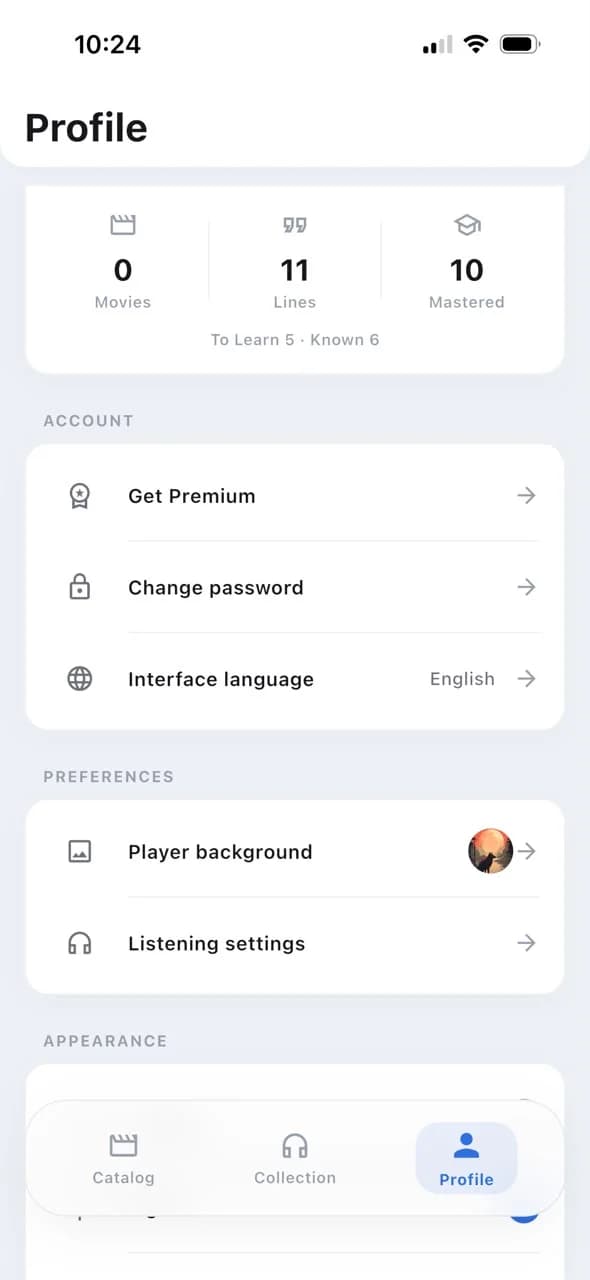
06 · Profile
Progress, Premium and personal settings
The profile sums up the stats — films, lines, Mastered — and keeps the settings: interface language, player backdrop, listening options, password change and the Premium upgrade.
- Counters: 11 Lines, 10 Mastered, To Learn 5 · Known 6
- Get Premium unlocks the paid catalogue
- Interface language and listening settings
Admin panel
A content pipeline: the film is imported, the audio generates itself
The content team fills the library with no developers involved. A film import kicks off background audio generation for every line; the dashboard shows the queue and failures, and the finished film appears in the app catalogue with the right access level.
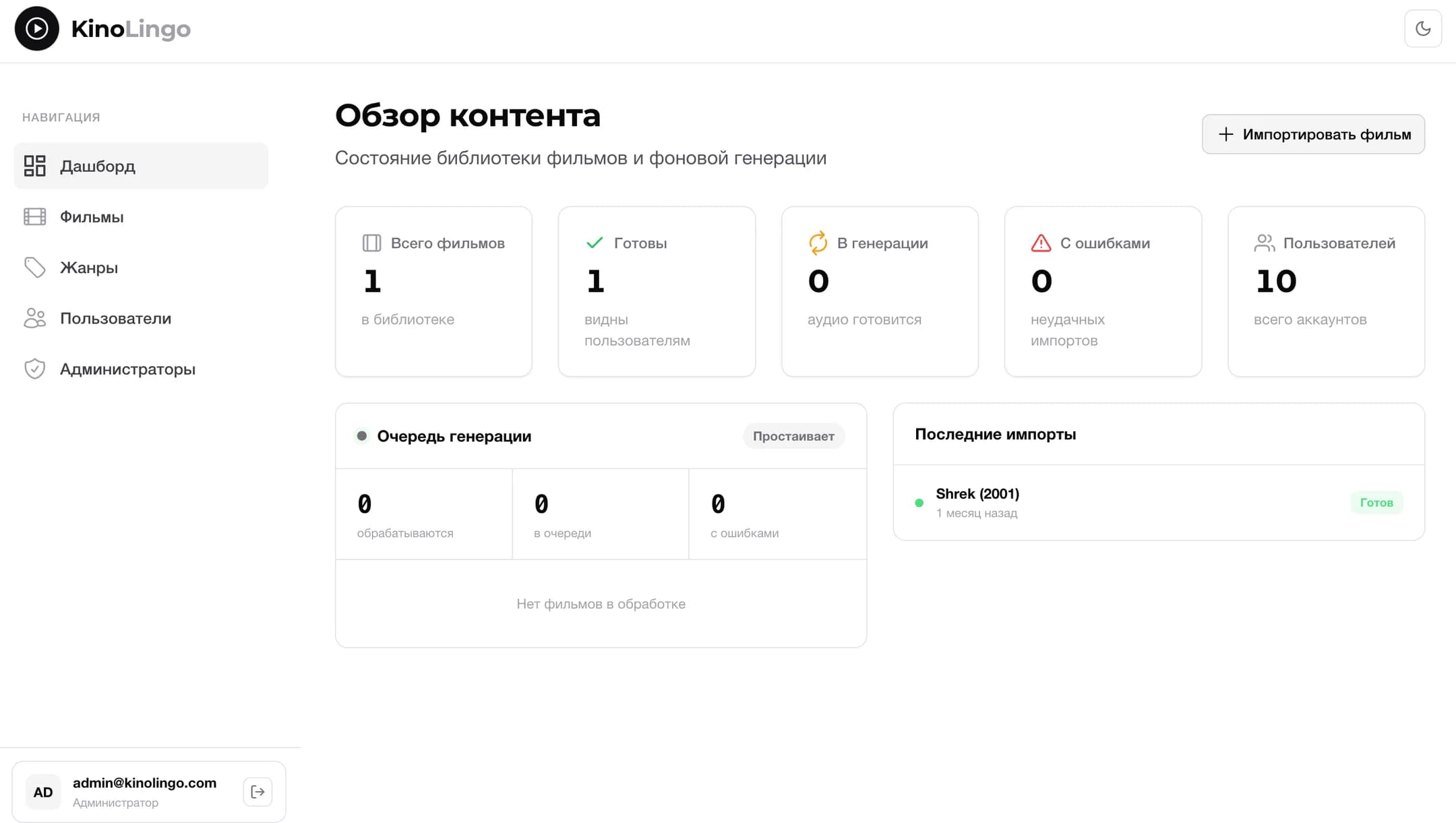
01 · Dashboard
Content overview and the generation queue
One screen answers the editor's main question: how the library is doing. Counters — total films, ready, generating, failed, users; below, the live generation queue and the latest imports with statuses.
- Library counters: ready · generating · failed
- The generation queue: processing, queued, failures
- Latest imports — Shrek (2001) marked “Ready”
The library and directories
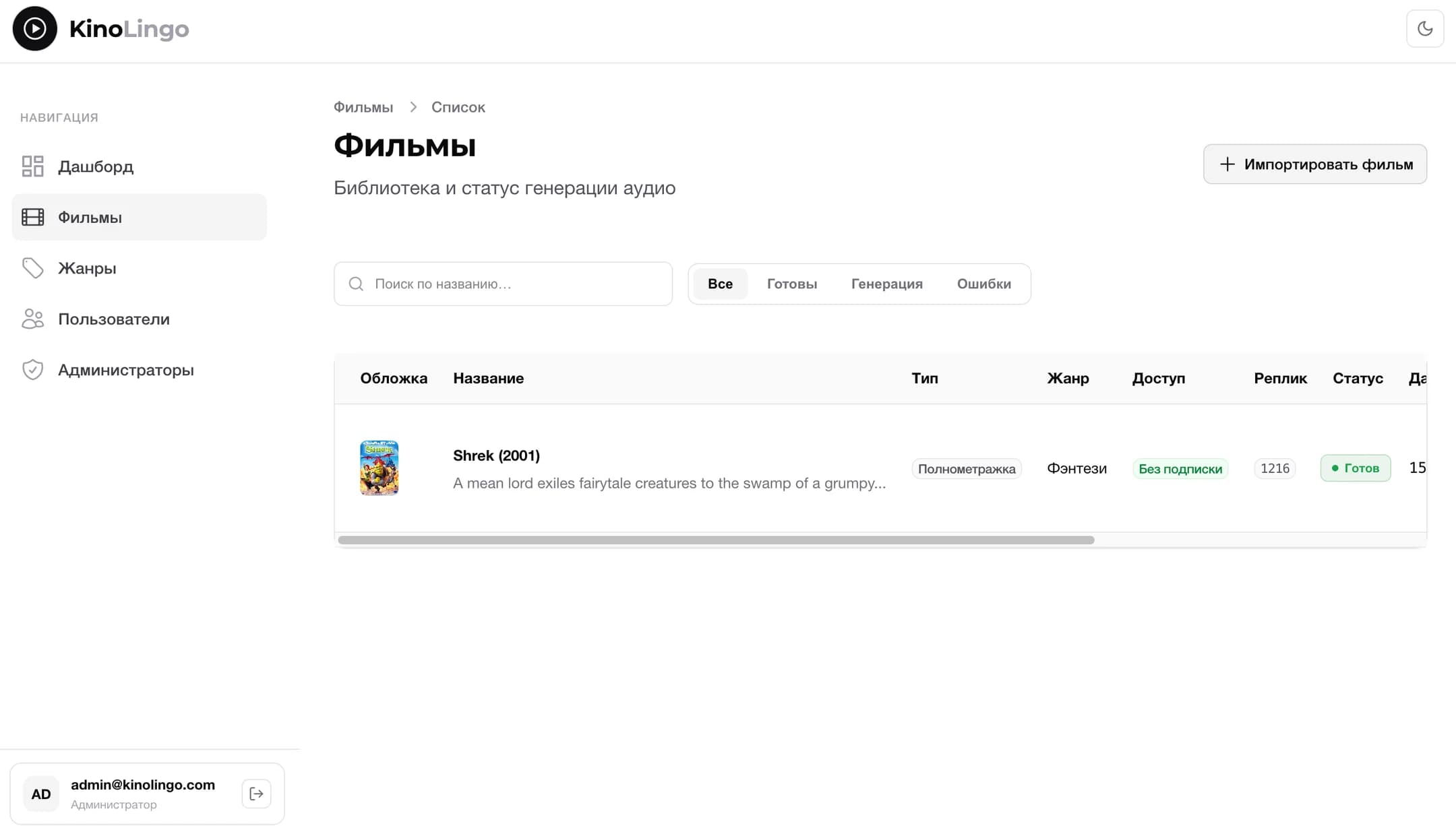
02Films: search, status filters, type, genre, access and line count
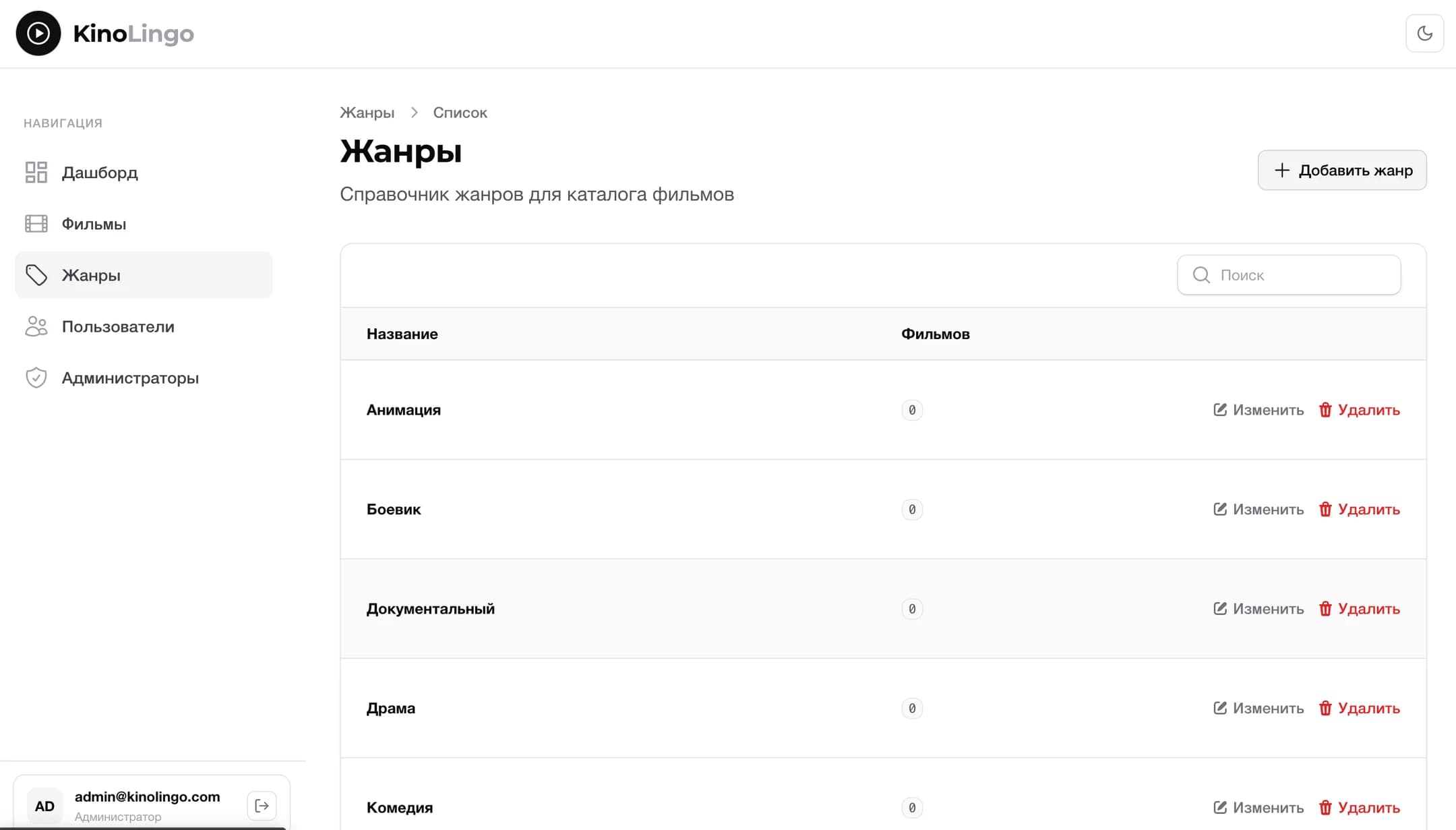
03Genres: the catalogue directory with a film count in each
A film's journey
Import
An editor adds a film: metadata, poster, type and access level — free or Premium.
Generation
The background queue splits the film into lines and prepares audio for each — the status shows on the dashboard.
Publication
The finished film becomes visible to users and joins its genre shelf in the catalogue.
Practice
Users learn the lines while progress gathers in the collection and profile — the pipeline is closed.
What's inside
The mechanics that turn cinema into a method
Line-by-line film breakdown
Every film is cut into lines with audio and a subtitle — that's how many study units one Shrek yields.
Progress like spaced repetition
To Learn → Known → Mastered: an honest understood-or-not rating moves the phrase along.
Practice and auto mode
One line at a time with rating — or back to back, like a podcast made of your favourite film.
Full film playback
A built-in player with seeking and resume — the film stays a film.
Original and study voice-over
The Original button switches the line's track: a clear voice-over first, then the actor's real speech.
Flexible catalogue access
Films go out free or Premium — the access level is picked at import time in the admin panel.
The product in numbers
One film already proves the method
5
To Learn
6
Known
11
Mastered
The demo profile's collection: 22 rated lines spread across the statuses — every rating in the player pushes a phrase towards Mastered
1216
lines broken down in the library's first film
90 min
of real speech turned into study material
3
statuses carry a phrase from To Learn to Mastered
2
products in one loop: the app and the admin panel
Who it's for
A method for people bored by textbooks
Learners with basics
They understand the textbook but not real speech: film lines train the ear on real pace and slang.
Film lovers
They learn on favourite scenes: motivation lives in the material itself, not in game points.
Returning learners
Auto mode and Listen through enable short sessions: lines play in the background on the go.
The content team
Editors fill the library through the admin panel: import, generation and publication with no developers.
Result
Users learn a language on content they actually enjoy: real vocabulary sticks in the context of scenes, listening is trained on genuine speech, and progress shows in levels and the dictionary.
Next project
Social projects for vulnerable groups